The scenario
When there is no upstream fix
Most data quality problems have a clean solution: fix the source, re-run the pipeline, propagate downstream. But what happens when the source no longer exists?
This is the situation we faced: a supplier was decommissioned mid-project. Their historical data — already ingested into our Delta Lakehouse — contained records that needed correction. There was no pipeline to re-run. No API to call. No upstream system to fix. A human data steward was the last line of defence, and they needed to make targeted corrections directly to Delta tables and immediately verify the result through the operational UI.

The challenge was not just writing corrected records. It was building a workflow that handled concurrency safely, tracked state at every step, scoped the expensive SQL Endpoint metadata refresh to only the tables that changed, and gave the admin a clear view of what succeeded and what failed.
Here is how we built it.
The technical constraint
The SQL Endpoint sync problem
In Microsoft Fabric, when you write to a Delta table in a Lakehouse, the SQL Endpoint (the T-SQL interface over that Lakehouse) does not reflect the changes immediately. There is a metadata synchronisation process that runs periodically — and it applies to the entire Lakehouse, not individual tables.
The Fabric REST API does provide a force-refresh endpoint:
Fabric REST API
POST https://api.fabric.microsoft.com/v1/workspaces/{workspace_id}/sqlEndpoints/{sql_endpoint_id}/refreshMetadataHowever, this endpoint has no table-level granularity. It refreshes the metadata for the entire SQL Endpoint — every table in the Lakehouse. For a large Lakehouse with 100+ tables, triggering a full refresh just because 10–12 frequently corrected tables changed is wasteful, slow, and introduces unnecessary risk
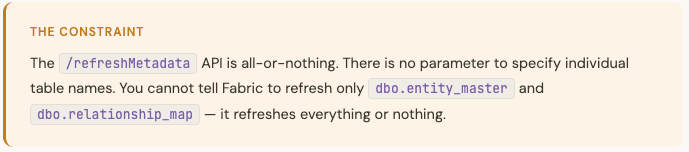
We needed a way to scope the refresh to only the tables involved in manual corrections. The solution was architectural rather than API-level.
The solution
A dedicated shortcut Lakehouse for scoped refresh
The insight is simple: if you cannot filter the refresh by table, filter it by Lakehouse instead.
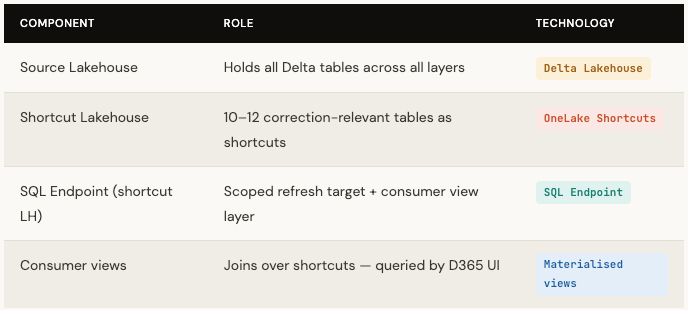
We created a dedicated secondary Lakehouse containing only OneLake shortcuts pointing to the 10–12 tables that are subject to manual correction. The SQL Endpoint of this shortcut Lakehouse is the target for /refreshMetadata — and because that Lakehouse contains only the correction-relevant tables, the refresh is automatically scoped.
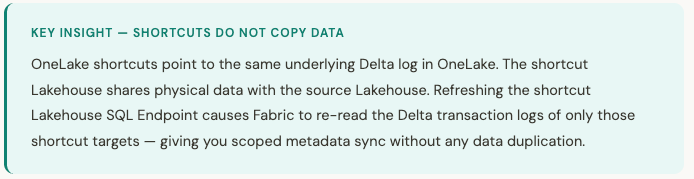
The consumer views — used by the D365 operational UI — are defined over the shortcut Lakehouse SQL Endpoint, joining the relevant tables. When the refresh completes, the views immediately reflect the corrections. The source Lakehouse remains undisturbed, and its SQL Endpoint is not involved in the correction workflow at all.
The orchestration
A five-step saga with Dataverse state tracking
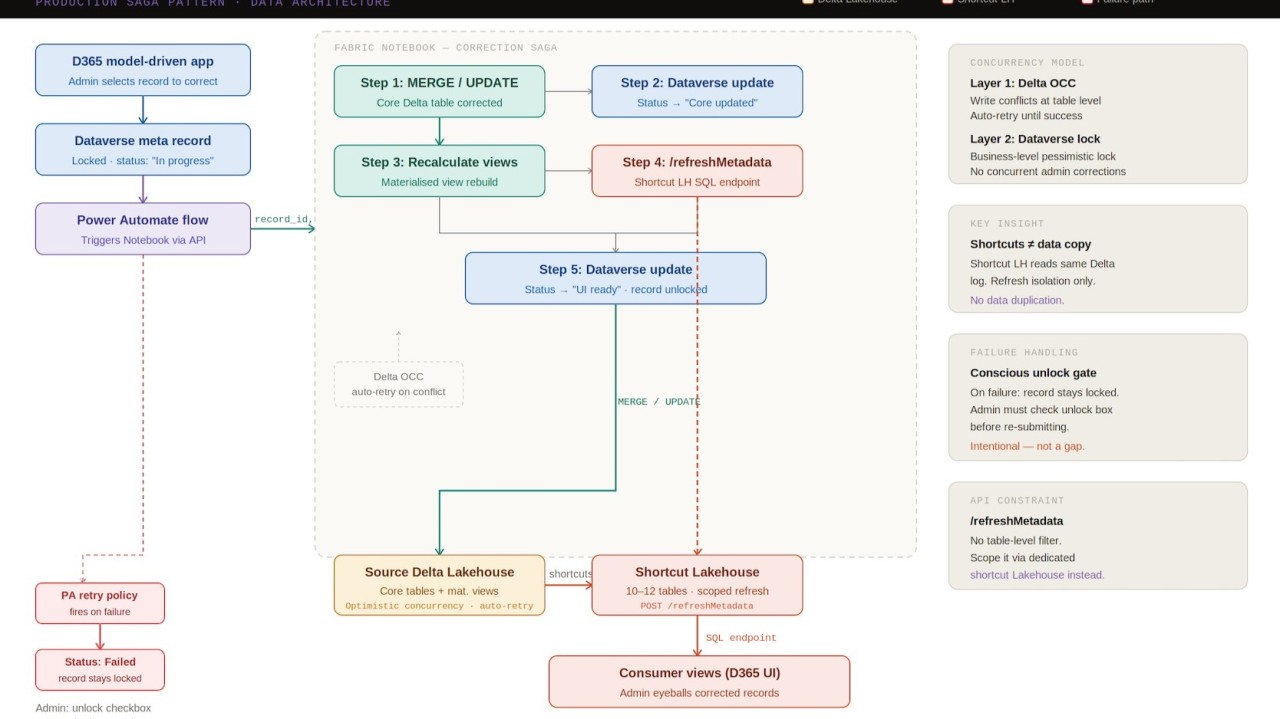
The correction workflow is orchestrated as a distributed saga — a sequence of steps where each step writes its outcome to a central state store (Dataverse) before proceeding to the next. This gives the admin full visibility of where the correction is at any point in time, and ensures no step is silently skipped or partially completed.
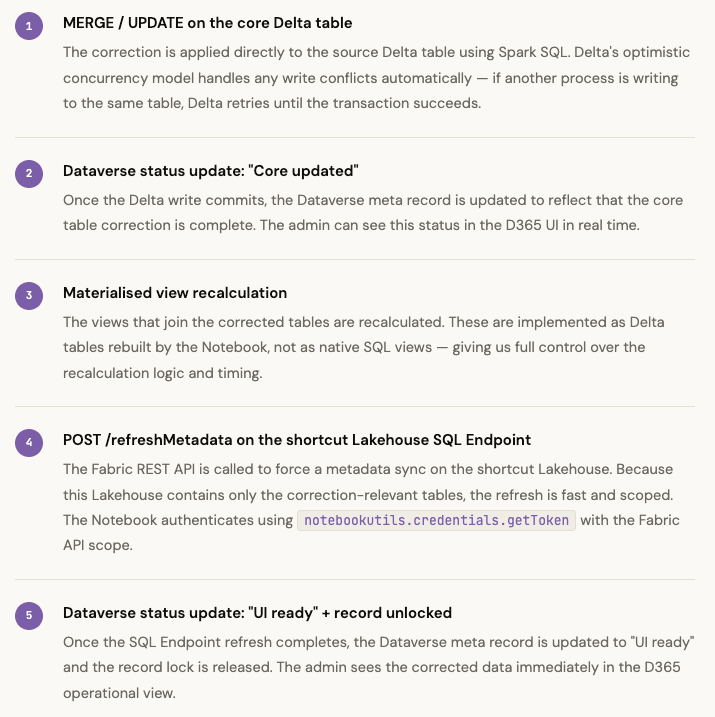
The entry point is a D365 model-driven app. The admin selects the record requiring correction, which locks the Dataverse meta record and triggers a Power Automate flow. Power Automate calls a Fabric Notebook, passing the correction details as parameters. The Notebook executes the following saga:
Fabric Notebook — Step 4 (refreshMetadata)
import requests
import json

# Authenticate using Workspace Identity
token = notebookutils.credentials.getToken("https://api.fabric.microsoft.com")

headers = {
    "Authorization": f"Bearer {token}",
    "Content-Type": "application/json"
}

url = (
    f"https://api.fabric.microsoft.com/v1/workspaces/"
    f"{shortcut_workspace_id}/sqlEndpoints/"
    f"{shortcut_sql_endpoint_id}/refreshMetadata"
)

response = requests.post(url, headers=headers)
response.raise_for_status()

# Poll for async completion before proceeding to Step 5
while get_refresh_status(response) != "Succeeded":
    time.sleep(3)
Safety mechanisms
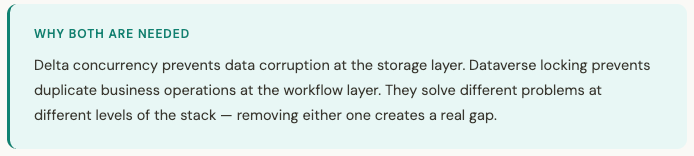
Two-level concurrency — complementary, not redundant
The correction workflow operates across two very different concurrency boundaries, and each is handled by the right tool for that layer.
Delta optimistic concurrency — table-level
When the Notebook writes to a Delta table, Delta uses optimistic concurrency control. It assumes writes will not conflict, attempts the transaction, and retries automatically if it detects a conflicting concurrent write. This is handled entirely by the Delta engine — the Notebook does not need any explicit locking logic at the data layer.
Dataverse pessimistic locking — business-level
Delta concurrency handles concurrent writes to the same table. It does not prevent two admins from simultaneously attempting to correct the same business record. For that, we use pessimistic locking at the Dataverse layer: when an admin selects a record for correction, that record is locked in the Dataverse meta table. Any attempt by a second admin to trigger a correction on the same record is blocked at the D365 UI layer — they see a locked state and cannot submit.
Failure handling — the conscious unlock
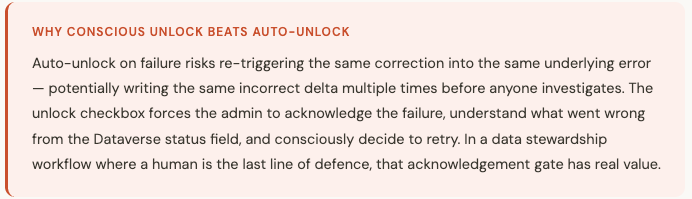
Power Automate has a retry policy on the Notebook call. If the Notebook fails, Power Automate retries. If all retries are exhausted, the Dataverse meta record is updated with a "Failed" status — and the record remains locked.
The admin must explicitly check an unlock checkbox in the D365 UI before re-submitting the correction. This is an intentional design decision, not a gap.
Key takeaways
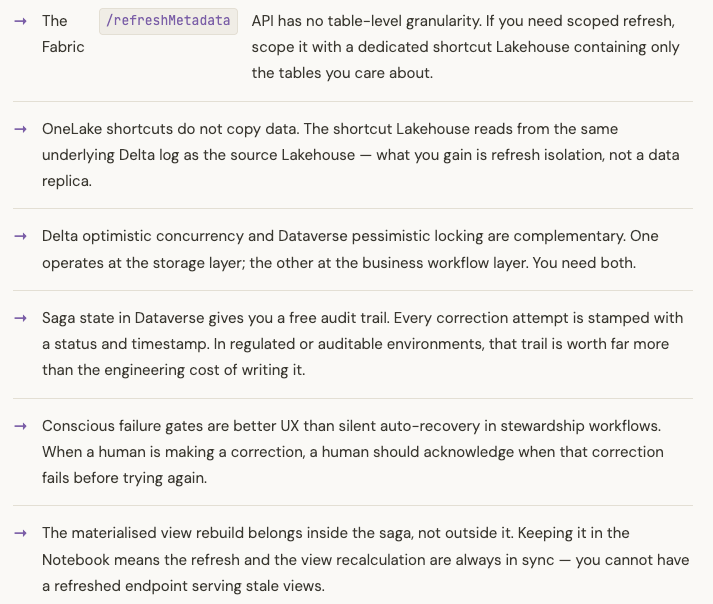
What this pattern teaches
The obvious question
Why correct data in a Lakehouse at all?
This is the question worth addressing directly, because it will occur to every architect reading this: Fabric Delta Lakehouse is an analytics platform built on Parquet files and a transaction log. It has no row-level locking, no sub-second commit latency, and the SQL Endpoint sync delay we spent this entire article working around is itself a symptom of that. Why not use a transactional database for corrections?
The short answer is: because the data already lives here.
This data was ingested from a supplier system that no longer exists. It is the authoritative record. Moving 10–12 correction-relevant tables to an Azure SQL Database or Dataverse entity solely to support an infrequent, exceptional stewardship workflow would introduce a second system of record, a synchronisation problem between that system and Fabric, additional infrastructure to provision and govern, and significantly more complexity for a workflow that runs rarely.
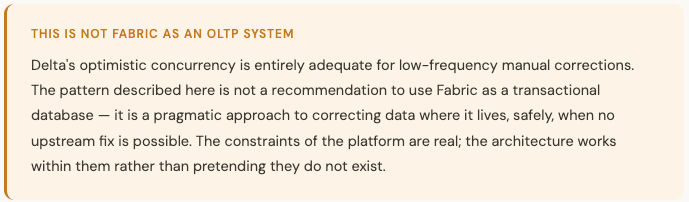
There is a broader principle here that applies beyond Fabric: the right tool for a correction workflow is determined by where the authoritative data lives, not by where we would prefer to put it. When the data cannot move, the correction mechanism must come to the data — and be designed carefully around the platform's actual guarantees.
Closing
The Last Line of Defence Deserves Proper Architecture.
This pattern emerged from a real production constraint: a decommissioned supplier, corrupted historical data, and no automated way to fix it. The architecture we built reflects that context. It does not try to automate away the human judgment — it makes human judgment safer, more visible, and more traceable.
The dedicated shortcut Lakehouse is a small architectural addition with a disproportionate operational benefit. The Dataverse saga state turns an opaque background process into something an admin can reason about in real time. The conscious unlock gate ensures that failure is never silently swallowed.
If you are building operational data correction workflows on Microsoft Fabric — or dealing with the SQL Endpoint sync delay in any context — I hope this pattern gives you something concrete to work with.
But I'm genuinely curious how others have approached this.
The SQL Endpoint sync delay is a constraint every Fabric team hits eventually. The workarounds I've seen discussed range from polling loops to full warehouse migrations. We went the shortcut Lakehouse route — but I suspect there are teams doing this differently.
A few questions for the community:
- If you've hit the /refreshMetadata all-or-nothing limitation — how did you scope it?
- Are you using a dedicated Lakehouse for refresh isolation, or did you solve it at the pipeline scheduling layer instead?
- For manual correction workflows specifically — are you keeping corrections in the Lakehouse, or moving the correction surface to a transactional store and syncing back?
- Has anyone built this pattern with Fabric Warehouse instead of Lakehouse SQL Endpoint, and does the metadata sync behaviour differ meaningfully?
Drop your approach in the comments — or connect if you want to dig into the implementation details on the Notebook structure, Dataverse schema, or Power Automate flow design.